Learn how to build visual and interactive apps using Interface Designer Watch webinar >

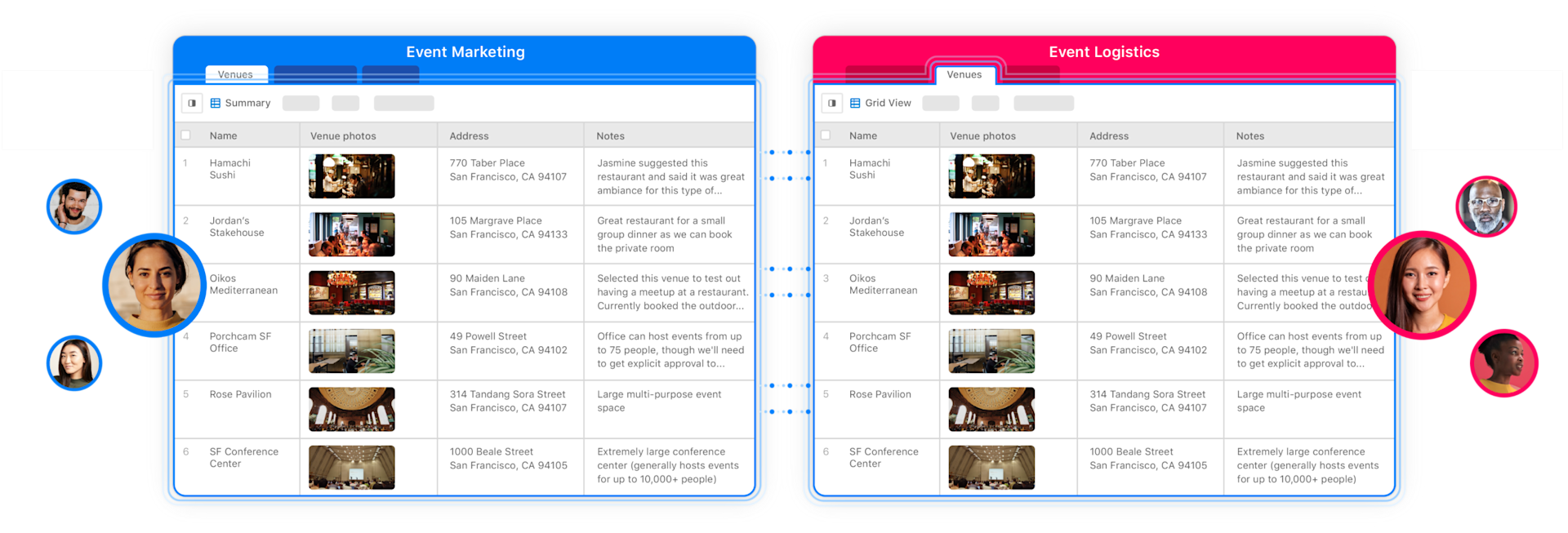
Bring all your data together, create and standardize your workflows, and hit ambitious business goals.
No credit card needed
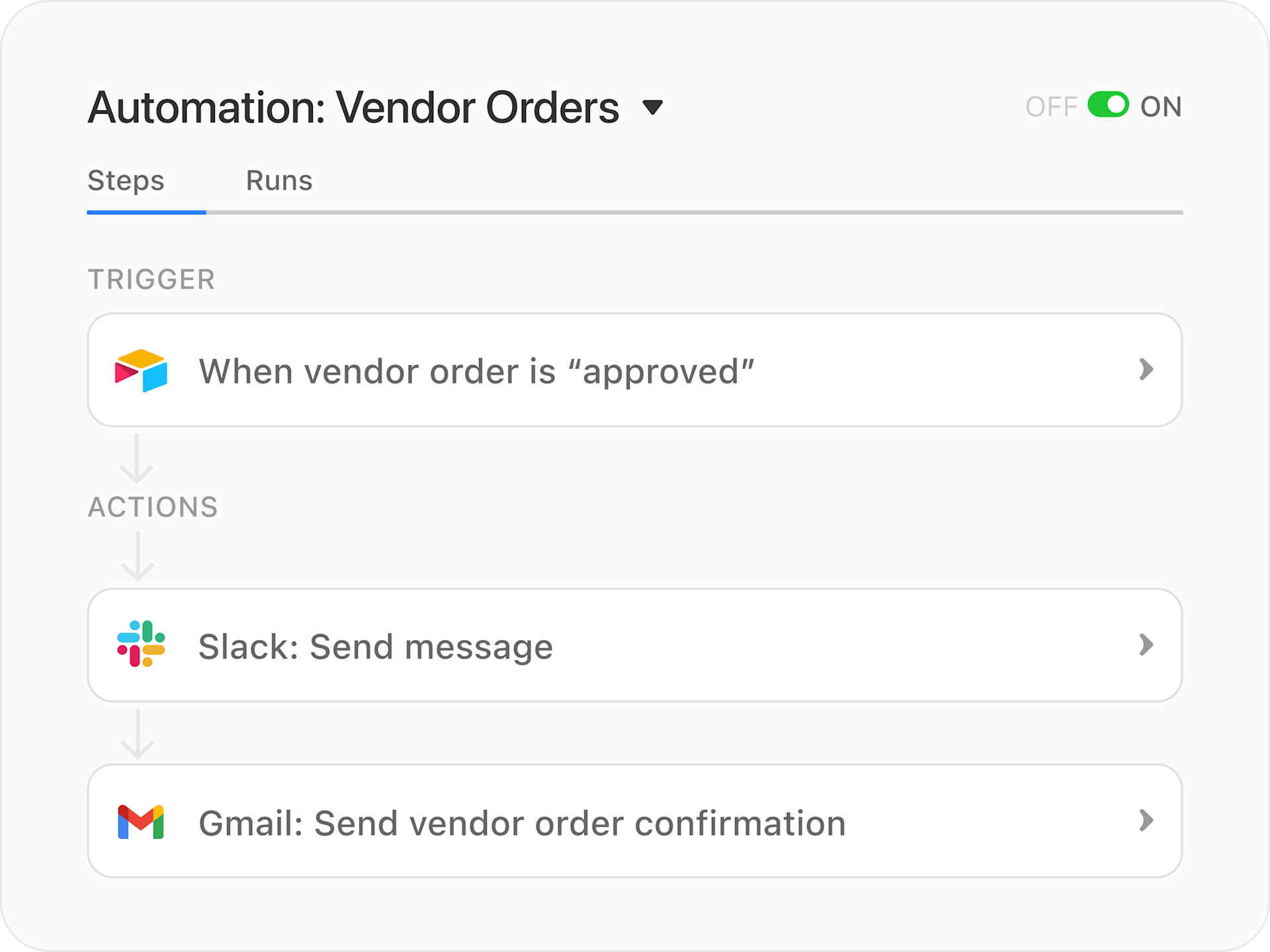
Set up automations that increase efficiency and help you standardize how requests get made and orders get fulfilled.
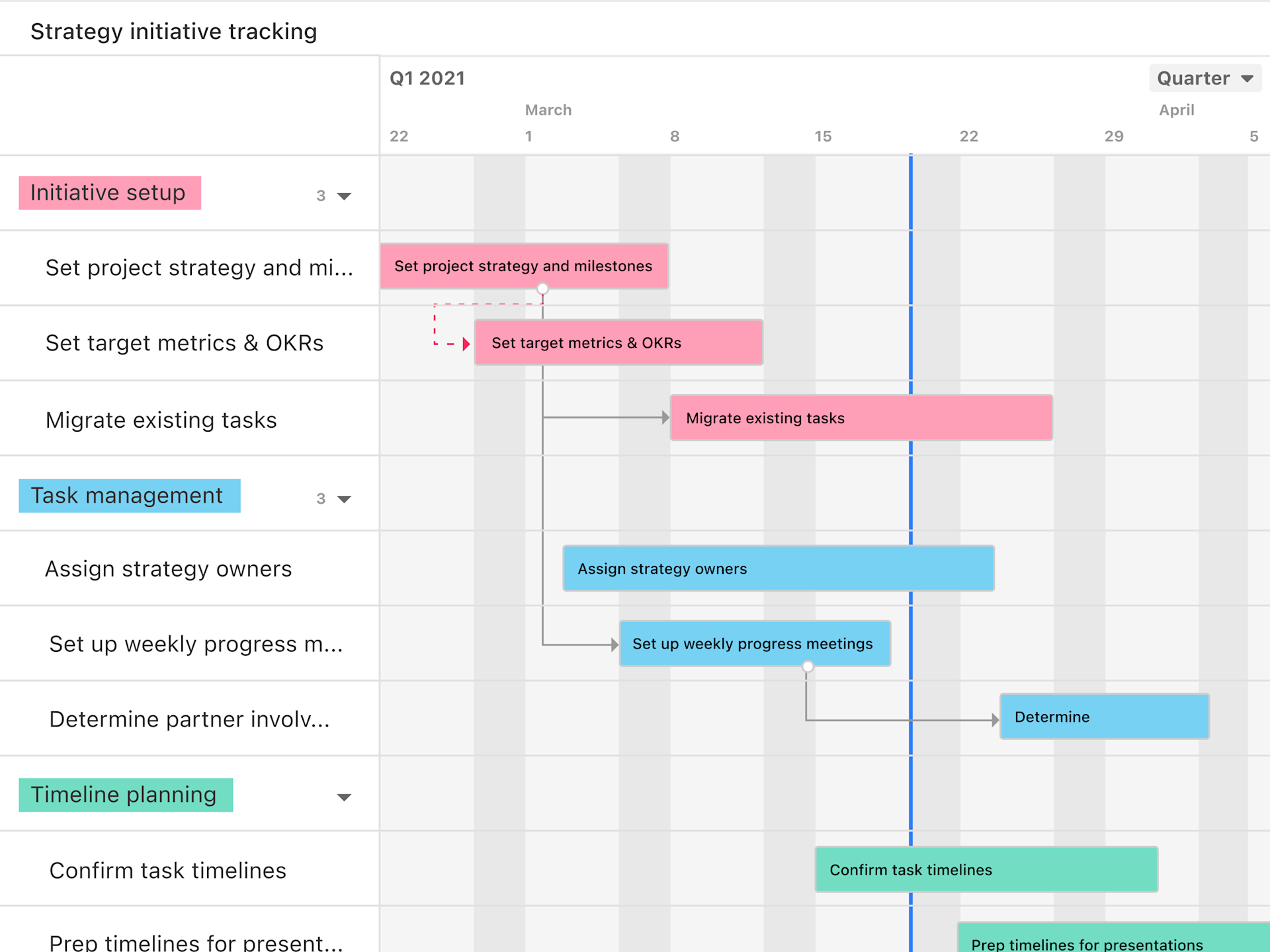
Spot gaps and timing conflicts, stay agile as requirements and timelines shift, and make updates to your plan as needed to hit deadlines.
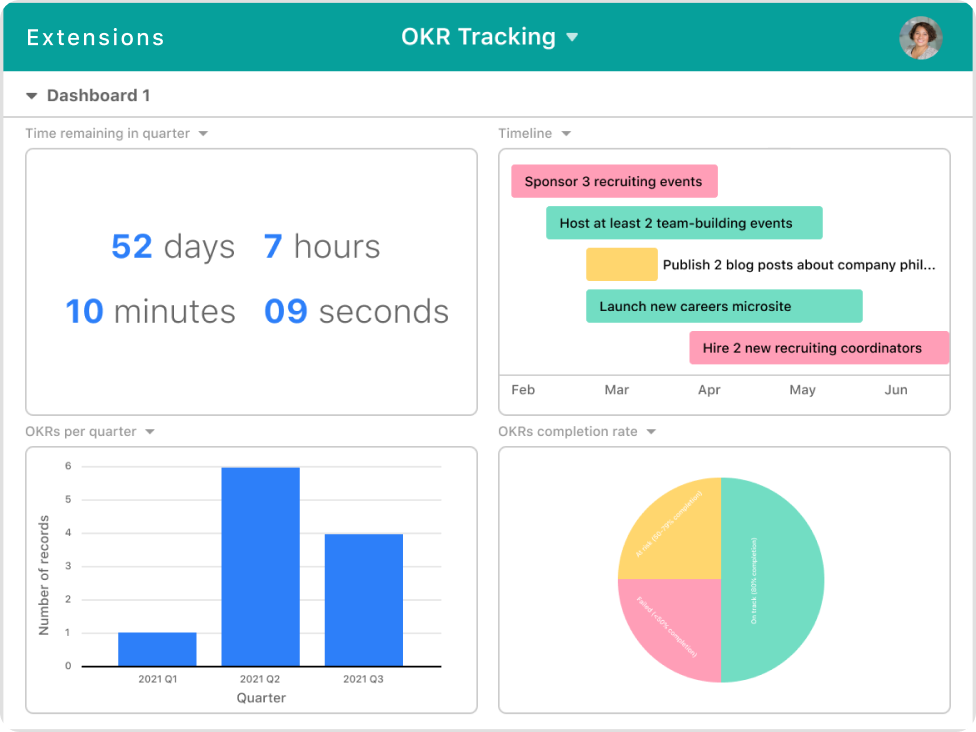
Easily share status updates and keep leadership informed on progress with customizable dashboards that track what’s most important.
Audit vendors, programs, and processes based on performance data to ensure you make the right decisions for your business.
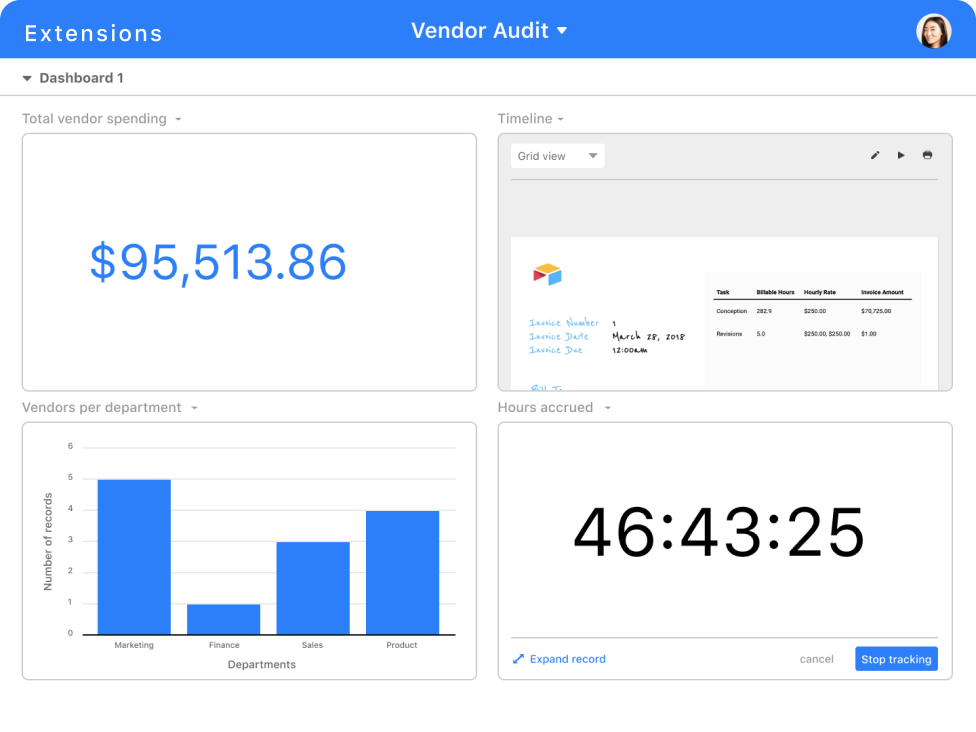
Create custom interfaces that give each and every teammate the relevant information they need, and a simple way to take action.
Integrate with your existing tech stack, add additional power with pre-built apps, and write your own scripts to extend Airtable to fit your exact needs.




From OKRs and SLAs to inventory and vendor management, Airtable can handle your team’s most important processes. Start with pre-made templates to get up and running faster.
Inventory management
Use template
Vendor management
Use template
OKR/Goal management
Use template
Contanct management
Use template
Audit vendors, programs, and processes based on performance data to ensure you make the right decisions for your business.
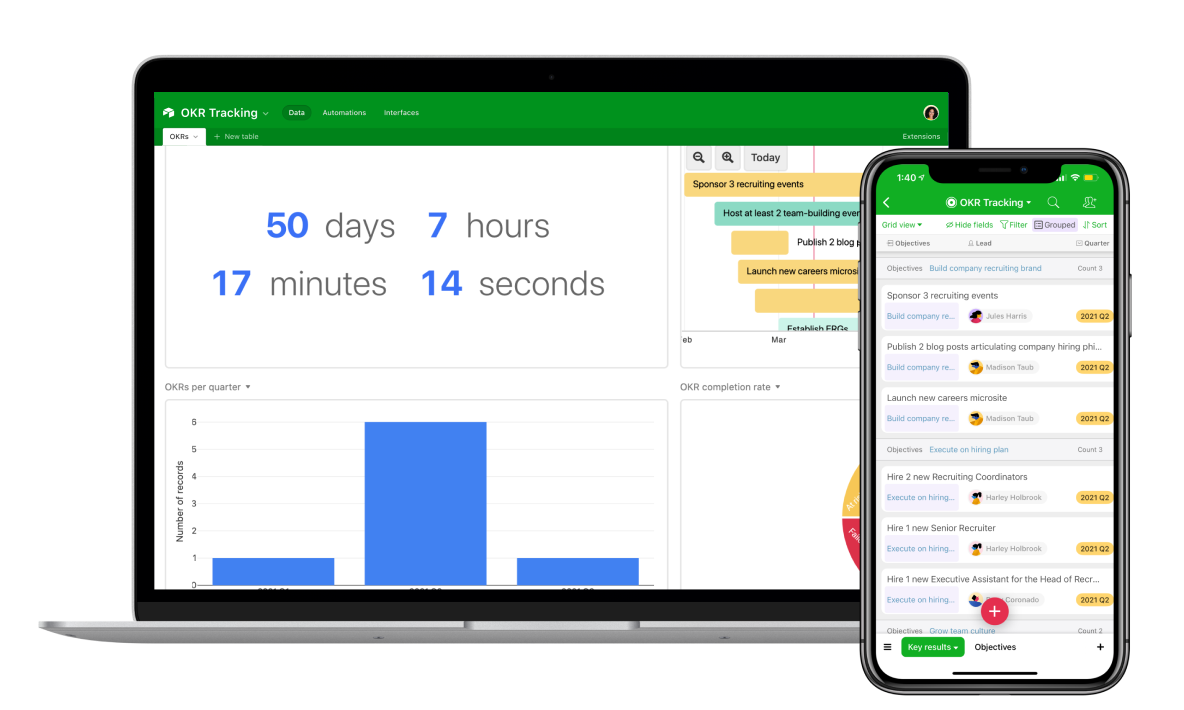
Operations teams use Airtable to manage many of their own processes and workflows, as well as to connect work happening across teams. Because Airtable is flexible and completely customizable, you can use it to do just about anything your team needs. Many operations teams use Airtable to manage their vendors or inventory as a starting point because it’s easy to group and filter data about each vendor to see what’s most important to you. Teams also choose Airtable for OKR and goal tracking, as well as project management so they can plan, execute, and report on success all from one place.
If your company is managing multiple workflows and initiatives out of Airtable, you can sync your bases together to make sure the right info shows up in each base and updates as work progresses. This is extremely popular for cross-functional teams like operations teams, who are tasked with collaborating across departments. You can sync information across different bases to connect initiatives and also connect Airtable to external data sources, like JIRA, Salesforce, and more, to create a single source of truth.
Our most popular plan for operations teams is our Pro plan. With Pro, you get access to features like Apps and Automations, which give you the power you need to plan your initiatives and connect data happening across your teams and tools. Plus, Pro lets you control edit access to the info in your bases and gives you additional storage to make sure you can manage your work without hitting data limits. For small teams just starting out or those working on a limited budget, Airtable’s Free plan gives you access to our basic feature set to help you get started without any cost.
Our team is standing by and ready to help you make the right decision for your operations team. If you’re interested in learning more about how Airtable works for larger teams and companies or want to explore our Enterprise plan, you can contact our sales team. If you’re already an Airtable customer and have a specific question, check out our help center.
Our most popular plan for operations teams is our Pro plan. With Pro, you get access to features like Apps and Automations, which give you the power you need to plan your initiatives and connect data happening across your teams and tools. Plus, Pro lets you control edit access to the info in your bases and gives you additional storage to make sure you can manage your work without hitting data limits. For small teams just starting out or those working on a limited budget, Airtable’s Free plan gives you access to our basic feature set to help you get started without any cost.


